
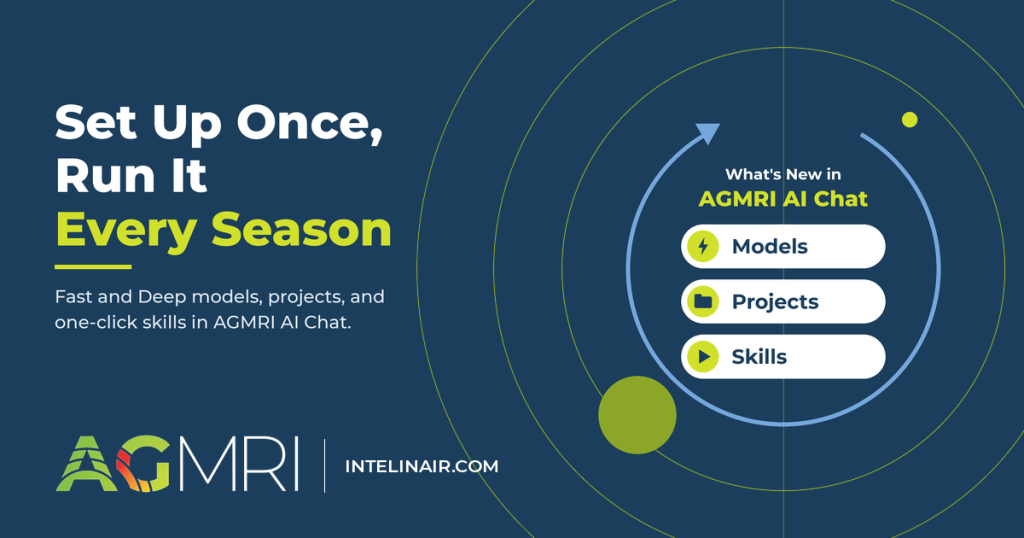

AGMRI AI Chat, the data analyst inside AGMRI, now lets you choose how hard it works on each question, keep related work in projects, and run the analyses you repeat every season as one-click skills. The update is live in AGMRI.
AI Chat reads the data your account can already see (fields, crops, yield, hybrids, products) and answers in everyday terms.
What’s new in AGMRI AI Chat?
Until this release, every conversation stood on its own. An agronomist who pulled a harvest summary for a grower in September had to type the same prompt, with the same exclusions, again in October. Now you set up that context once and reuse it, with three additions:
| What’s new | What it does | Use it for |
|---|---|---|
| Models | Sets how hard AI Chat works on each question: Fast for quick lookups, Deep for multi-step analysis | Matching the effort to the question, even mid-chat |
| Projects | Keeps related chats, instructions, and an optional data focus together, so you set the context once | One grower, territory, or season |
| Skills | A catalog of ready-made and custom workflows that run the same steps and format every time | The analyses you repeat every week or season |
Fast or Deep: how hard should AI Chat work on your question?
A field count doesn’t need the same effort as a hybrid comparison across a territory, so AI Chat now has two models. You pick one from the model selector in the message box, and it stays selected until you change it.
| Model | Best for | What to expect |
|---|---|---|
| Fast | Counts, totals, lookups, and quick follow-ups | Short answers, usually in seconds |
| Deep | Comparisons, rankings, reports, and questions with several steps | Thorough answers with caveats and a confidence level, often in a minute or more |
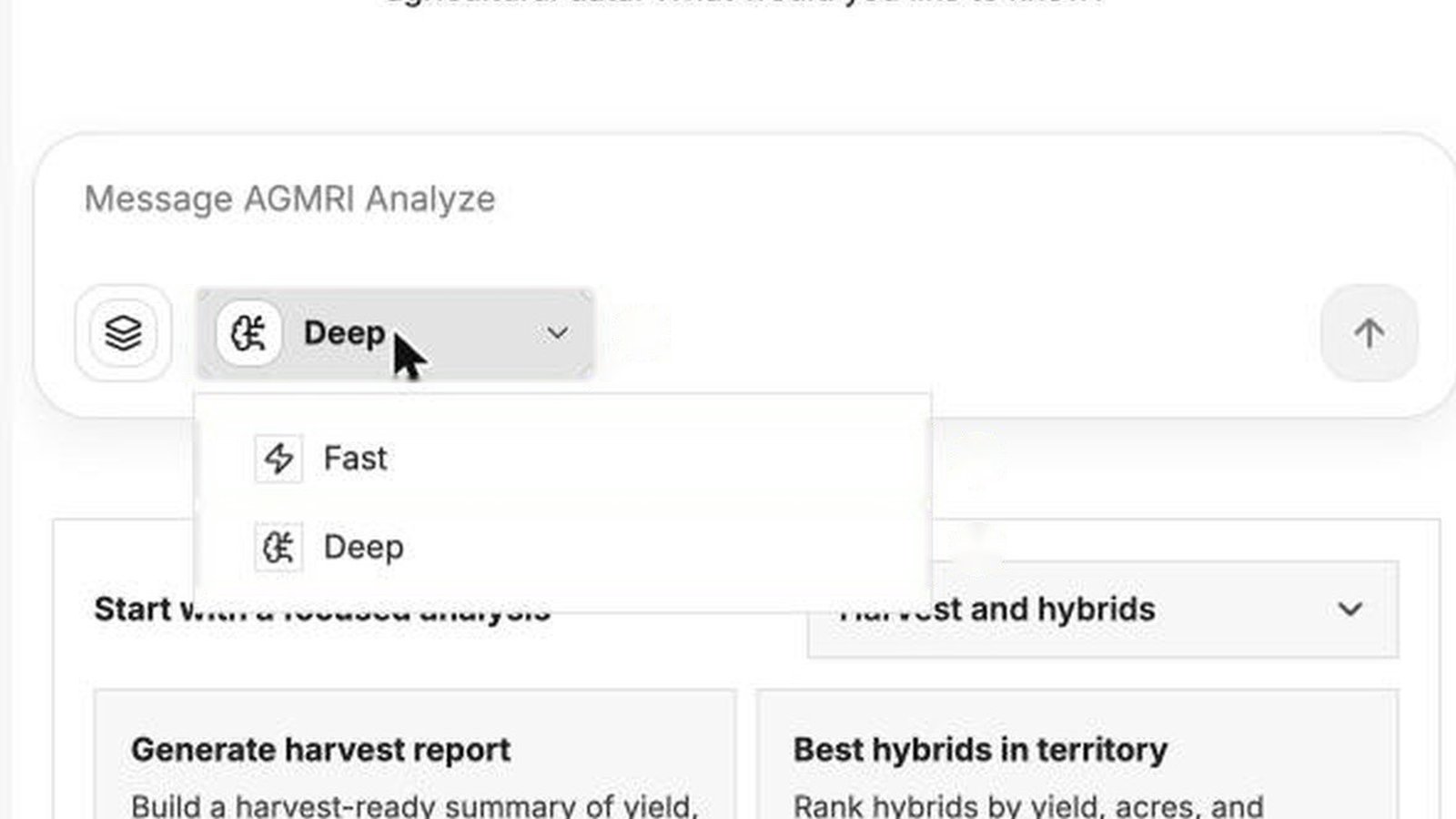
Ask Fast, “How many fields do I have, by crop, for 2026?” and you get a table of fields and acres by crop, plus a note on what’s missing (for example, fields with no crop recorded yet).
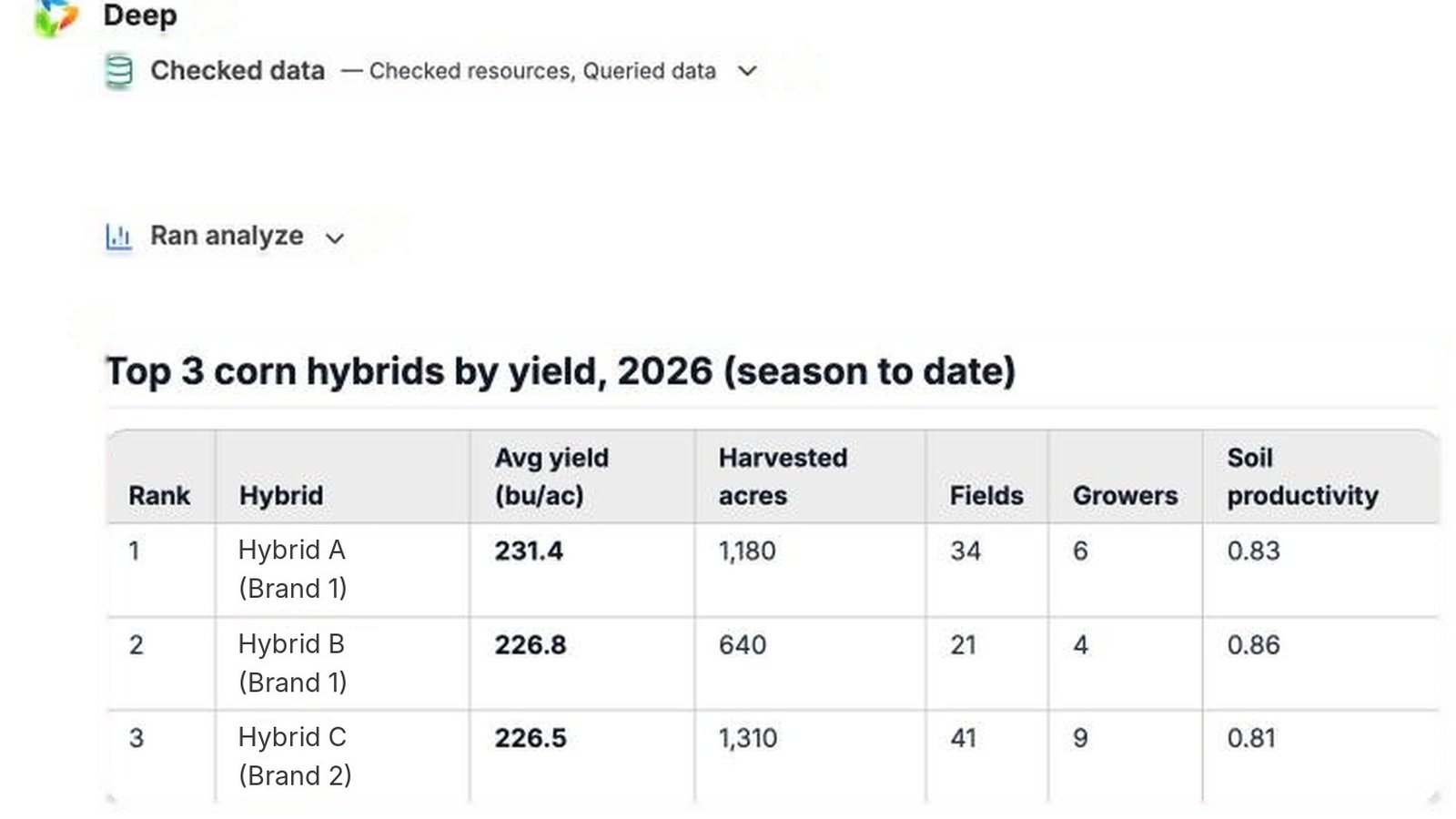
Ask Deep, “Compare my top 3 corn hybrids by average yield in 2026,” and it works through the question in steps you can watch. It explains how it chose what to compare (a minimum number of acres and fields, say), then lists caveats and a confidence level under the results table. That’s the context an agronomist needs before taking a hybrid recommendation to a grower.
You can switch models mid-chat.
Pro Tip: Start with Fast to get your bearings, then switch to Deep for the comparison or report you plan to share.
Projects: keep one grower, territory, or season in one place
A project holds everything about one piece of work: a grower’s harvest plan, a territory review, or a season recap. You create it once in Workspace and give it four things:
- A name you’ll recognize later, such as “Grower 1 harvest plan”
- A description of the work that belongs there
- Instructions AI Chat follows in every chat in the project (exclusions, preferred outputs, scope notes)
- An optional data focus that narrows every answer by company, field, county, hybrid, product, crop, season or seasonal window, plus yield (bu/ac), planting population (seeds/ac), and acre ranges
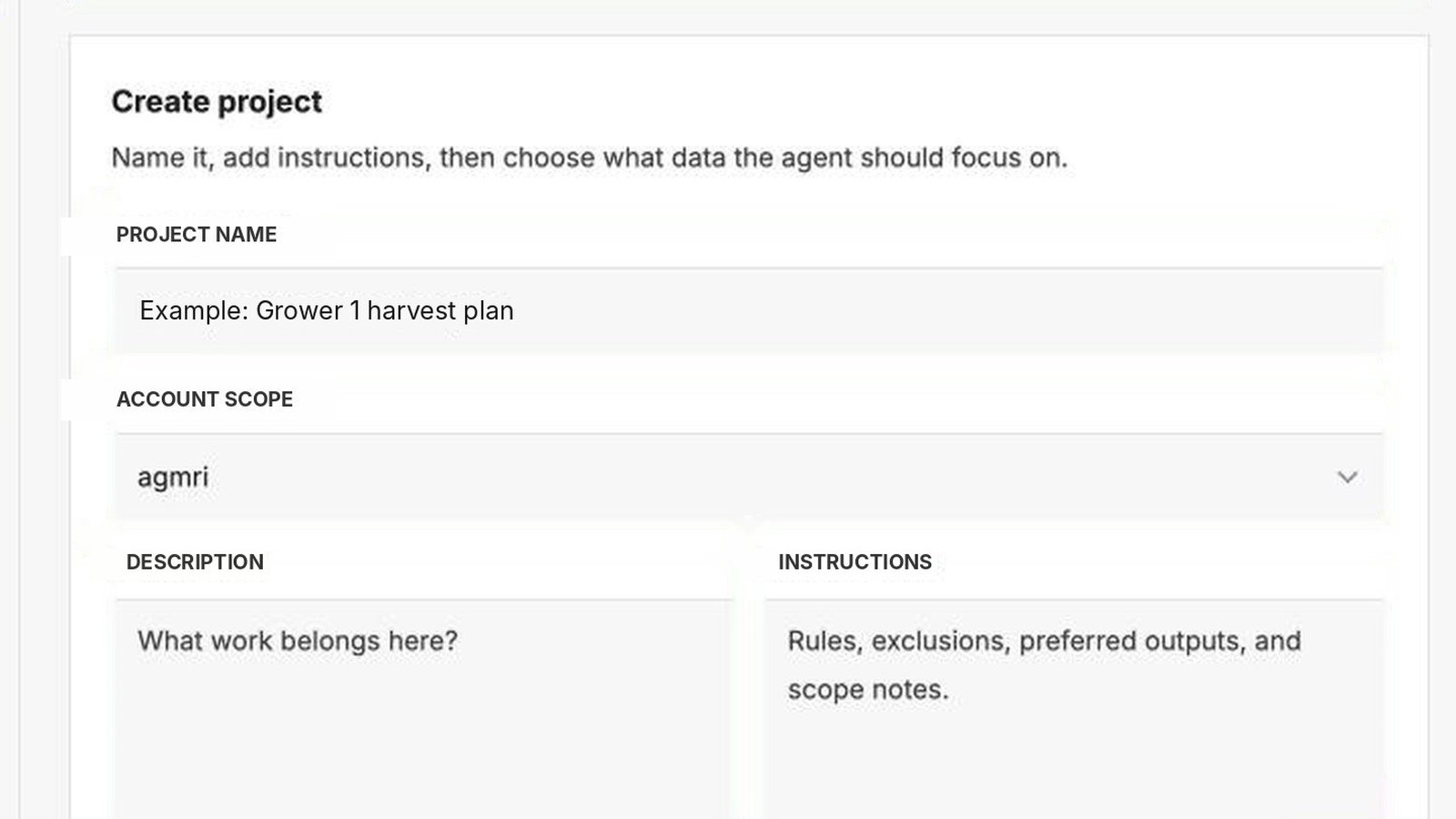
After that, pick the project before you ask your question and the context comes with it. You can move a chat into or out of a project at any time; it uses the new project’s instructions from its next message.
One thing to watch: a data focus applies to everything in the project. If you set Crop to corn, and later ask “How many fields do I have?”, the answer counts corn fields only. If a total looks low, check the project’s data focus first.
Skills: run your repeat analyses in one click
A skill is a saved workflow. Run one, and AI Chat follows the same steps and format every time; you skip rewriting a long prompt each season.
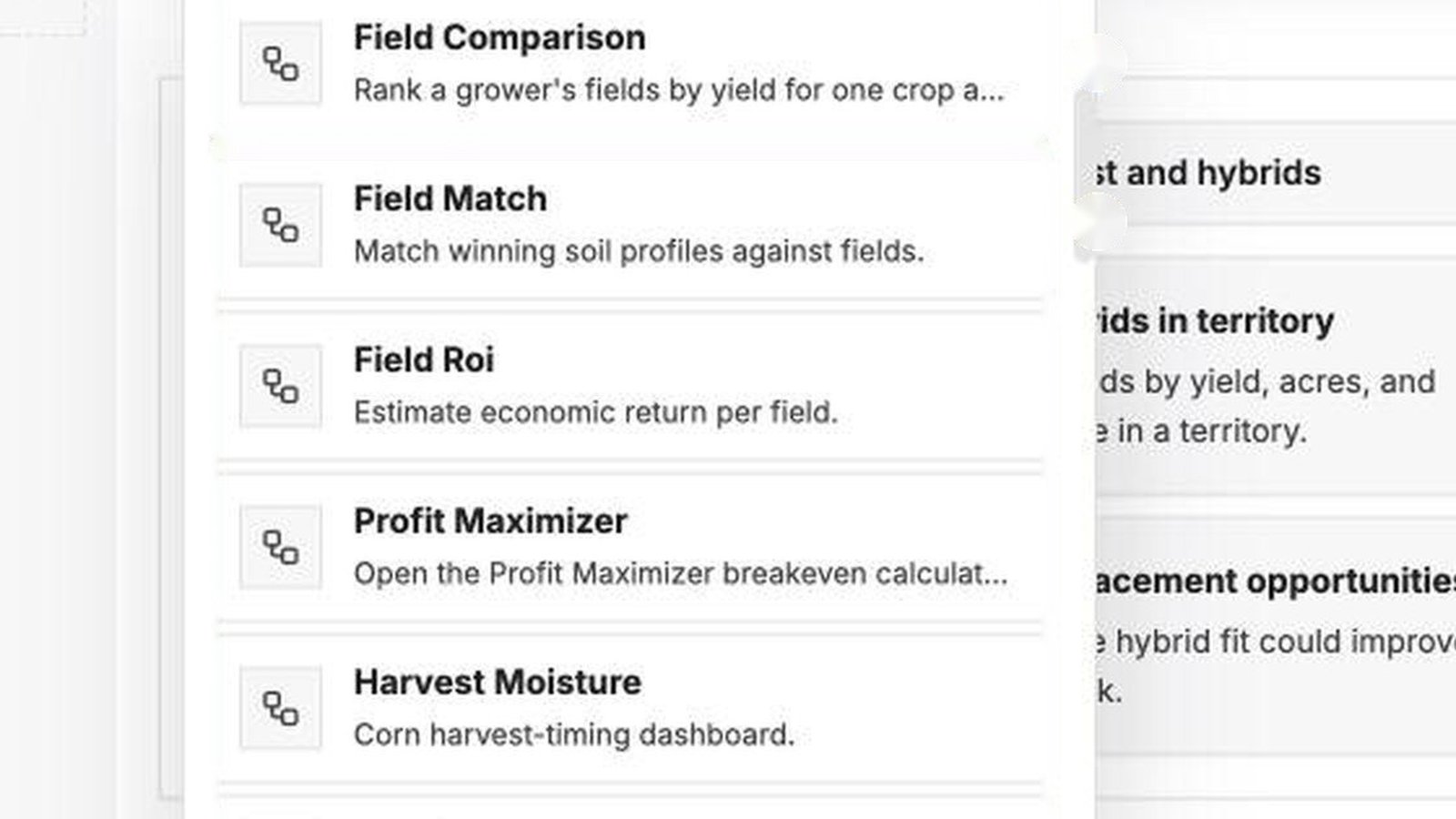
Several skills are ready to run, including:
- Field Comparison: ranks a grower’s fields by yield for one crop and season
- Field Match: matches winning soil profiles against fields
- Field ROI: estimates economic return per field
- Harvest Moisture: a corn harvest-timing dashboard
- Hybrid Benchmark and Hybrid Head to Head: how hybrids performed, and two or more compared directly
To run one, select the menu button in the message box and choose Skill, or type $ to pick from the list without opening the menu. The home screen also has one-click starting points, such as Generate harvest report and Best hybrids in territory.
Build your own with the Skill Builder
Select Create skill and pick a starting type: field or yield analysis, input or product ROI check, map or prescription workflow, pre-call or customer briefing, or guidance or checklist only. Then describe your idea in a sentence, for example: “Rank a grower’s fields by yield for one crop and season and flag the bottom 10 percent.”
The Skill Builder restates the workflow and the rules it will follow, then asks short questions one topic at a time: inputs, cutoffs, output format, and what to do when data is missing. It also checks for overlap with skills you already have (Field Comparison, in this example) and asks whether to build a new skill or extend the existing one. It then drafts the skill and a test plan. The skill shows up in your Workspace Skills list once it passes its tests.
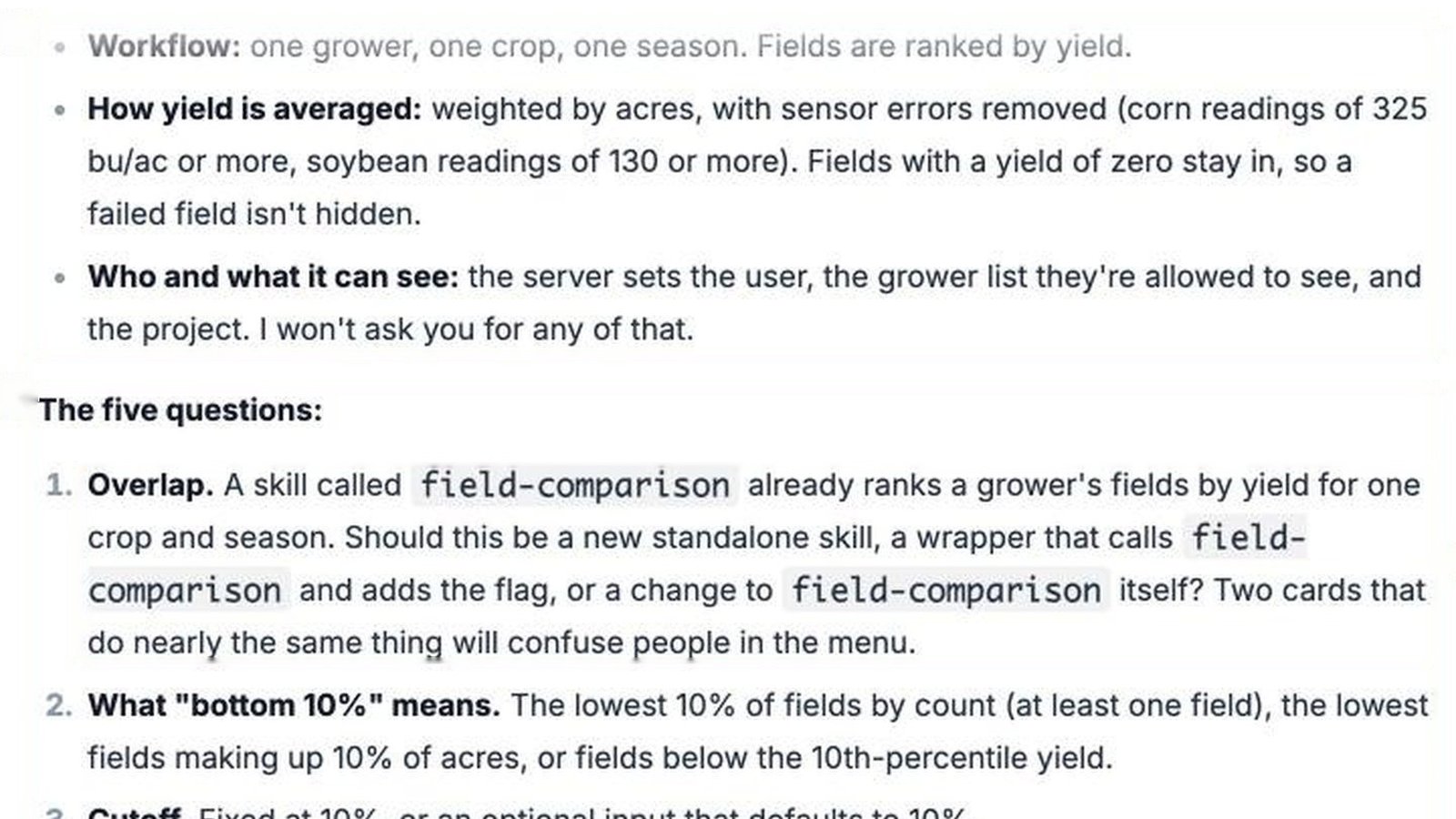
In Workspace, you can also turn on Show to agent, which lets AI Chat pick the skill on its own when a question matches it, and share the skill with colleagues.
Five habits that get sharper answers
- Name the crop, season, and place. “Corn yield in McLean County for 2026” gets a more useful answer than “How did we do?”
- Use Fast to explore and Deep to decide. Check the shape of the data, then ask Deep for the comparison you’ll take to a grower.
- Put repeat context in the project. If you type the same exclusion or format request twice, move it into the project’s instructions.
- Read the notes under the numbers. AI Chat flags gaps such as fields with no crop recorded, and Deep states how confident it is. Fix the gap in AGMRI, and the next answer improves.
- Turn a good answer into a skill. When you run the same analysis every week or every season, build a skill so it runs the same way each time.
Get started
Open AGMRI in a desktop browser and select AI Chat in the left menu. Try one question on Fast, set up a project, and run a skill such as Field Comparison.
Answers are AI-generated and advisory. Check key numbers against your source data in AGMRI before you act on them, the same way you would check a colleague’s spreadsheet. The agronomist and the grower make the call.
For step-by-step instructions, ask your Intelinair account manager for the AGMRI AI Chat user guide.